


How to set companion mode go back to Zoom Room automatically when the meeting ends?
OVERVIEW
This article describes how a Companion Zoom Room (portable) can automatically return to the Zoom Room screen after a meeting ends. This behavior is controlled by a setting on Zoom Device Management (ZDM).
Steps
- Sign in to the Zoom web portal as a role with access to Zoom Rooms.
- Click Room Management, then click Zoom Rooms.
- Click Edit next to the room you want to use as a portable companion.
- Click Devices, then click the toggle next to Allow a portable Companion Zoom Room to connect to the Zoom Room and configure the connection options.
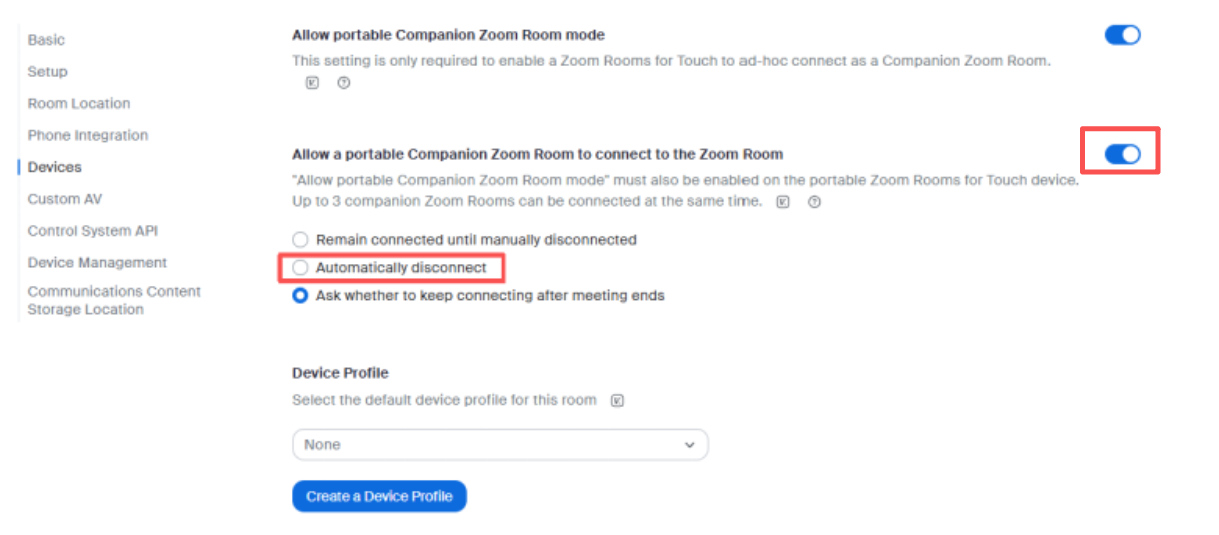
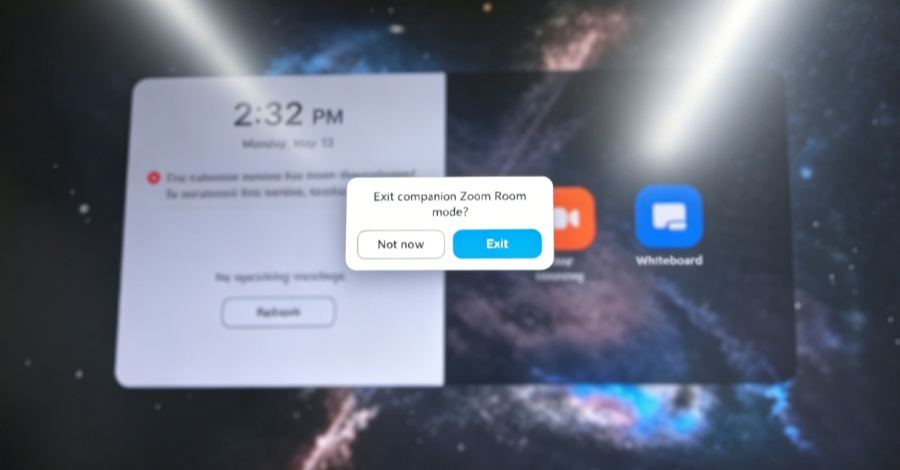
When selects “Ask whether to keep connecting after meeting ends,” it will be shown a prompt like below.
If you’d like to know more about Companion Zoom Room, please refer to Using a companion Zoom Room
Getting Help
If you have additional questions, please contact DTEN Support at 1 (866) 936-3836 or click here.
Still need help?
Open an Orbit ticket — your device details are filled in for you.
Was this article helpful?
Thanks for the feedback.