


DTEN ME Orbit Registration
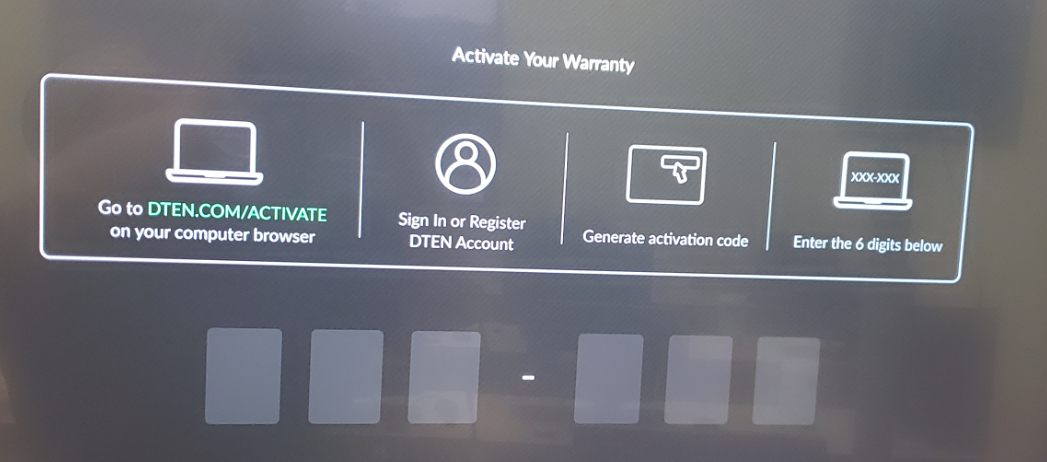
When you first launch your DTEN ME or ON 55″, the devices will show a registration screen for the Orbit Portal. This screen will ask for the 6 Digit Activation Code. Once registered, the Orbit Portal will allow for maintaining settings and pushing updates to your DTEN Device.
Activation Steps:
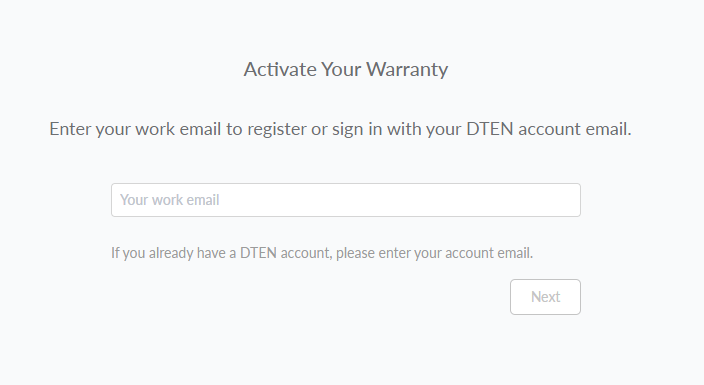
1. Upon entering https://dten.com/activate on your web browser, you will be asked to enter your email and press next.
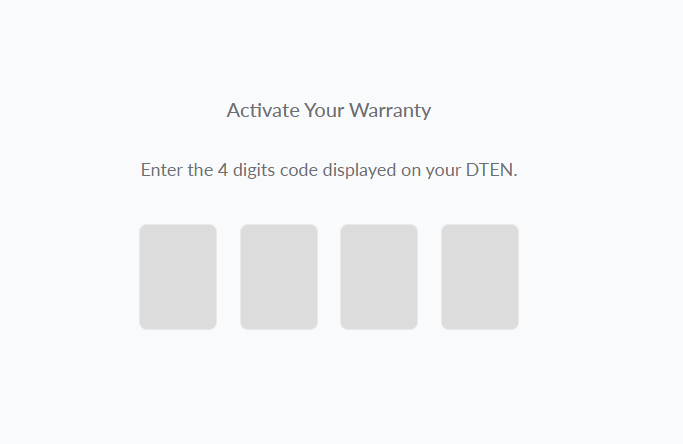
2. The next page is asking for a 4-Digit code (see below). Should you encounter this issue, please go to https://orbit.dten.com/ > click on Create an account and generate the 6 Digit Activation Code that the device is requesting.

3. Once you generated, please enter the 6-Digit Activation Code on your device:
Still need help?
Open an Orbit ticket — your device details are filled in for you.
Was this article helpful?
Thanks for the feedback.