


Joining a Zoom Rooms Meeting from a Desktop Client
OVERVIEW
The Zoom Desktop Client allows users to join into a scheduled meeting already in progress in a Zoom Room (DTEN devices: D7, ME, ON,…). This method of joining allows screen sharing, chatting and managing of participants from the desktop client. The video and audio on the Zoom Desktop Client are turned off so there won’t be any interference with those of the Zoom Room.
Below are two examples of how to do this.
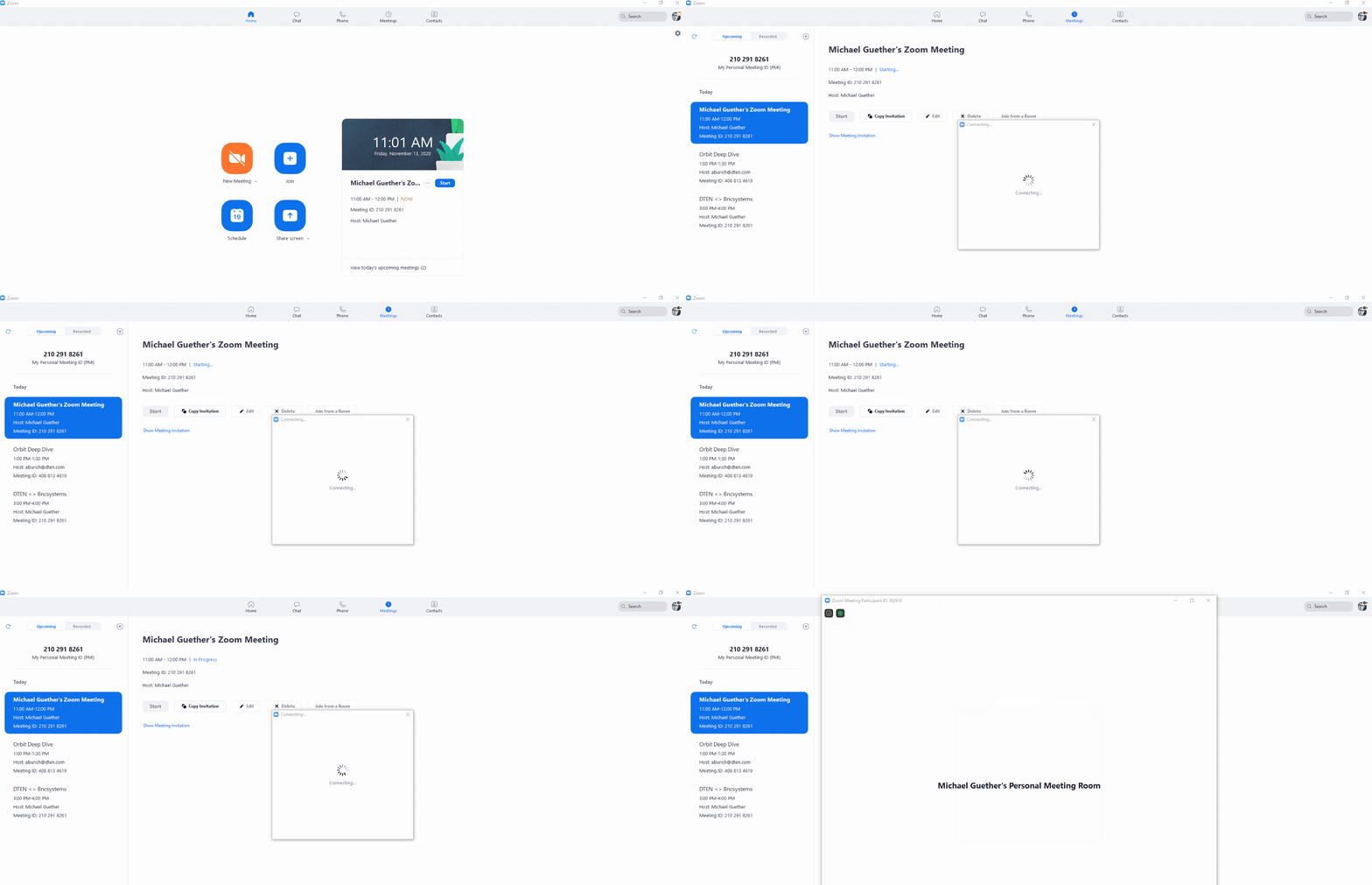
Example 1: From Zoom Desktop Client Meetings view:
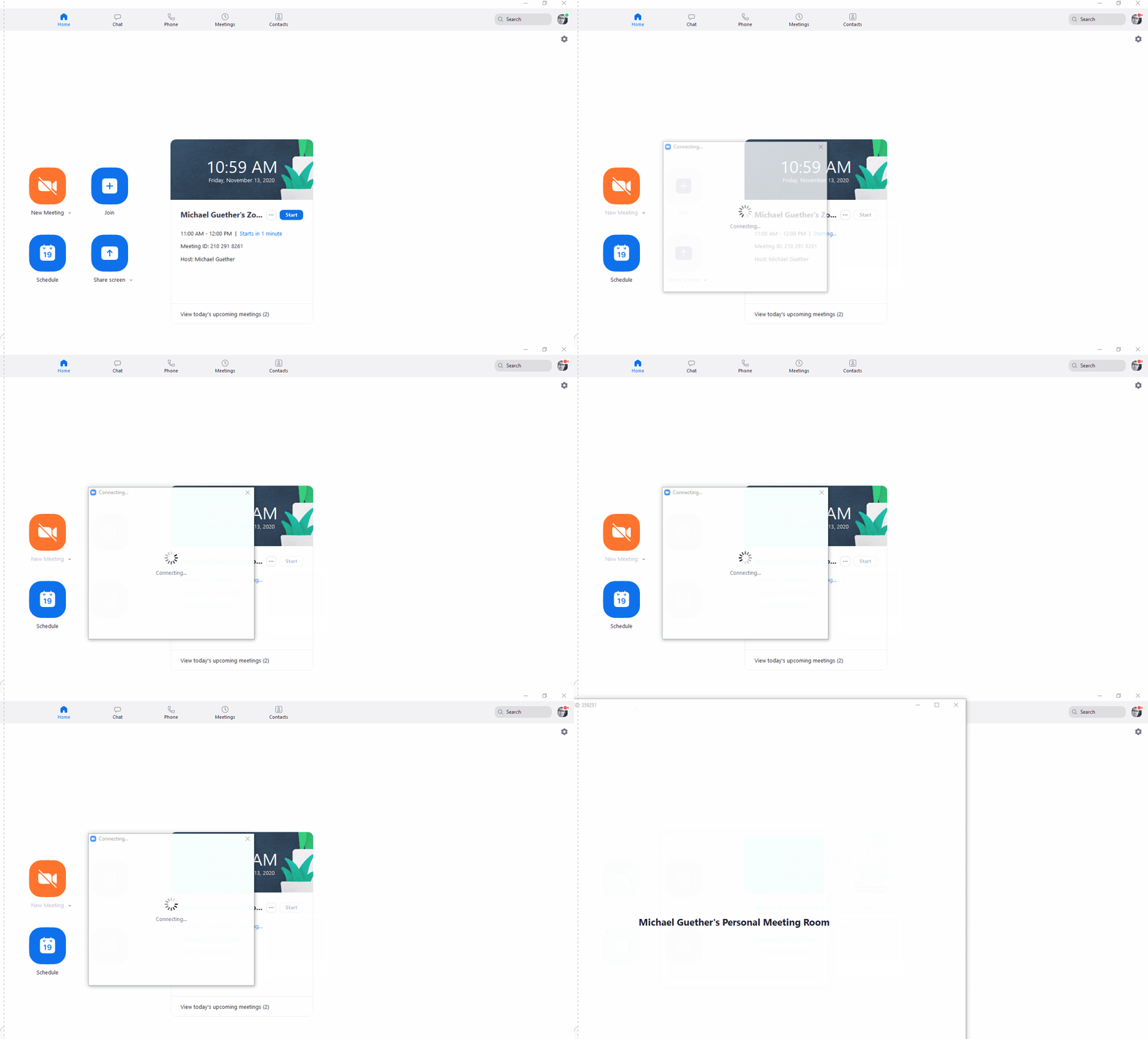
Example 2: From Zoom Desktop Client Home view:
For complete details, please refer to this Zoom Support article: HERE
If you have additional questions or need to contact DTEN Support, please refer to this DTEN Knowledge Base article for more details: HERE.
Still need help?
Open an Orbit ticket — your device details are filled in for you.
Was this article helpful?
Thanks for the feedback.