


How to change Languages on a DTEN D7 System?
OVERVIEW
This article will describe how to change the language on the DTEN D7 Series 1 55″, D7 Series 2 55″ & 75″, and Dual systems.
Zoom Rooms on the DTEN D7 systems support the following languages:
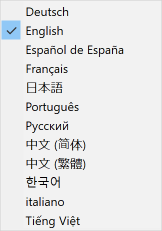
To change the language on the DTEN D7 system, please follow these steps:
1. Using your finger, touch and hold a blank section of the touchscreen on the D7 system until you see a gray square appear.
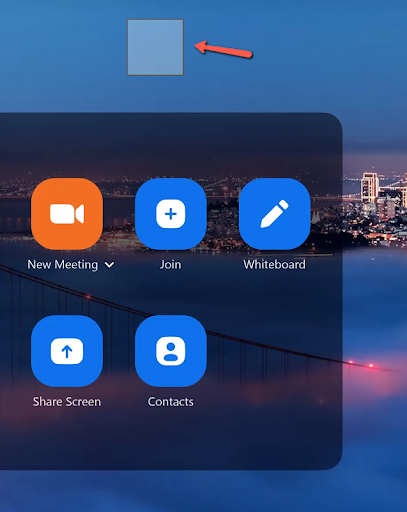
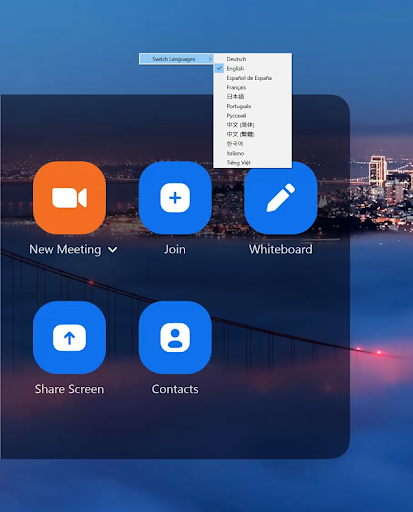
2. Then let go and the switch languages dialog window will appear. Tap the Switch Languages option and select the preferred language from the drop-down menu.
If you have additional questions or need to contact DTEN Support, please refer to this DTEN Knowledge Base article for more details: HERE.
Still need help?
Open an Orbit ticket — your device details are filled in for you.
Was this article helpful?
Thanks for the feedback.