


D7X for Windows 24-Hour Time Format Feature Guide

New time format – Support 24-hour time format
Overview
This article covers the new 24-Hour time format feature for D7X Windows systems available with the new firmware release v3.7.5.
Supporting Products
- DTEN D7X 55 & 75 Windows
- DTEN D7X Dual 75 Windows
- Minimum firmware v3.5.7
Design Use Case
In some countries, users are accustomed to using the 24-hour clock format rather than the default 12-hour format. Now, DTEN provides a place for users to switch, allowing them to adjust settings according to their preferences.
Steps
- Press the Menu button on the back of the device to access the DTEN Dashboard interface.
- Press the Settings button, then navigate to 24-hour format.
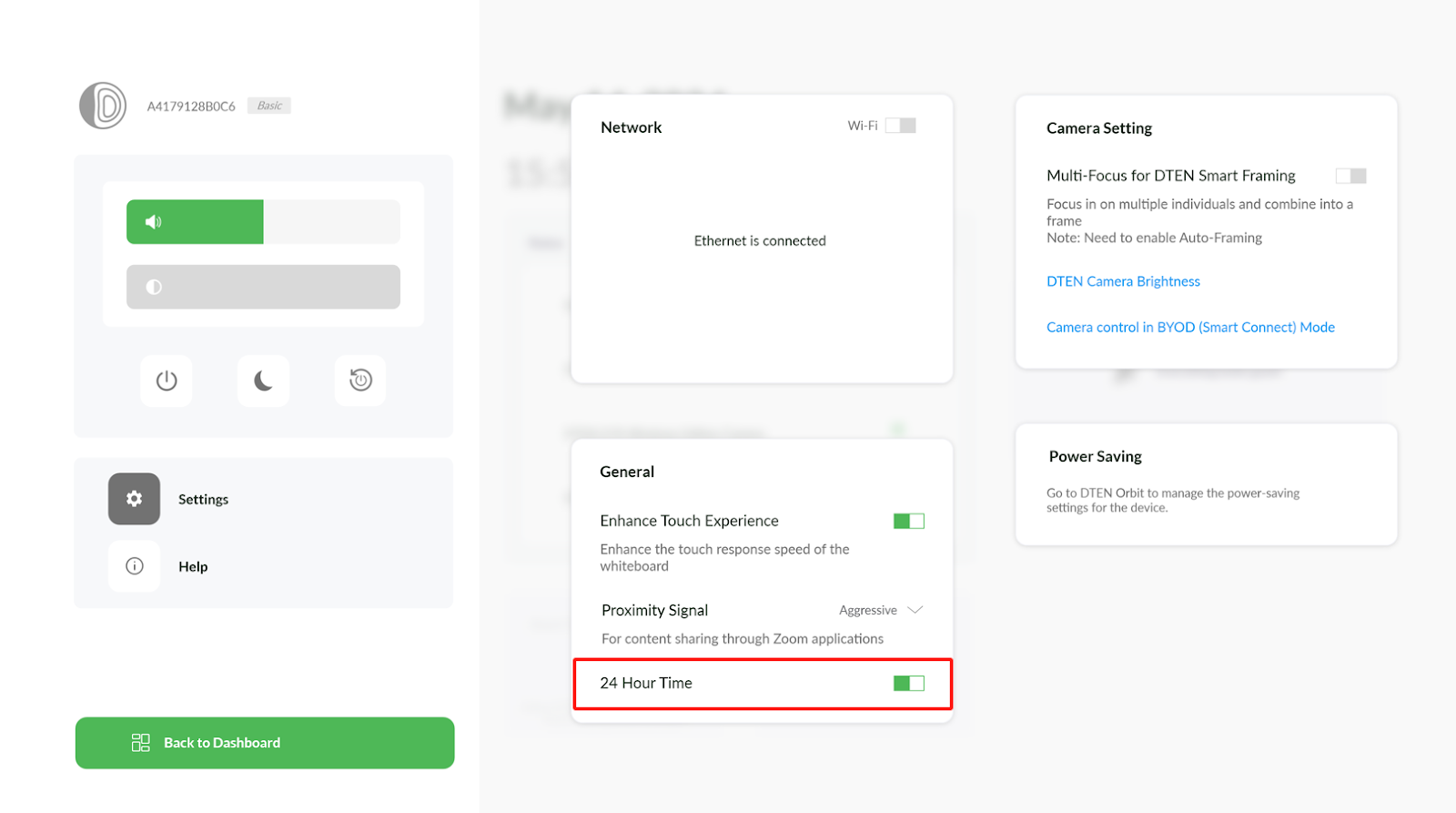
- Enable or disable according to your preference.ZR home page will display the time in a 24-hour format.
If you have additional questions or need to contact DTEN Support, please refer to this DTEN Knowledge Base article for more details: HERE.
Still need help?
Open an Orbit ticket — your device details are filled in for you.
Was this article helpful?
Thanks for the feedback.