


DTEN D7X Android and DTEN Bar Factory Reset in MS Teams

Overview
This article will provide instructions on how to perform a factory reset in the DTEN D7X Android systems and the DTEN Bar.
Supporting Product
- D7X Android
- DTEN Bar
Prerequisite
- D7X Android all firmware versions
- DTEN Bar all firmware versions
Instructions
I want to factory reset my D7X-Android/Bar in Teams, what do I do?
Follow the steps below:
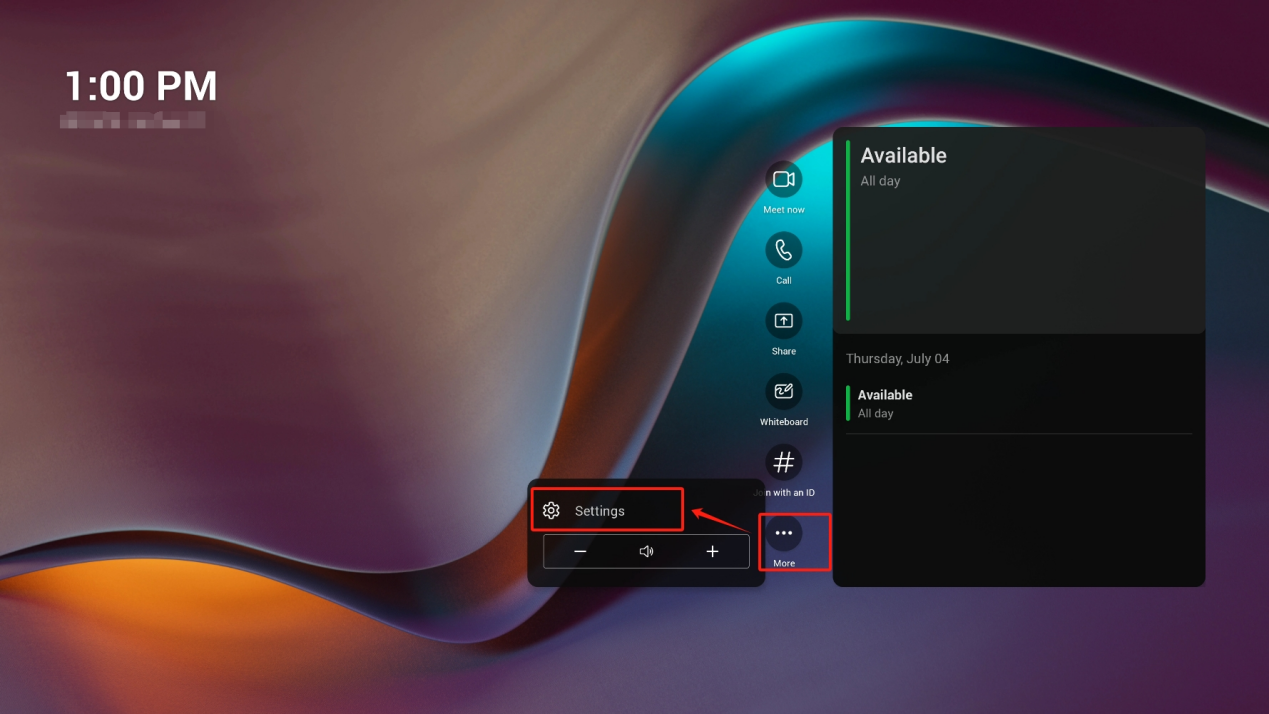
- In the Teams home page, click More→Settings
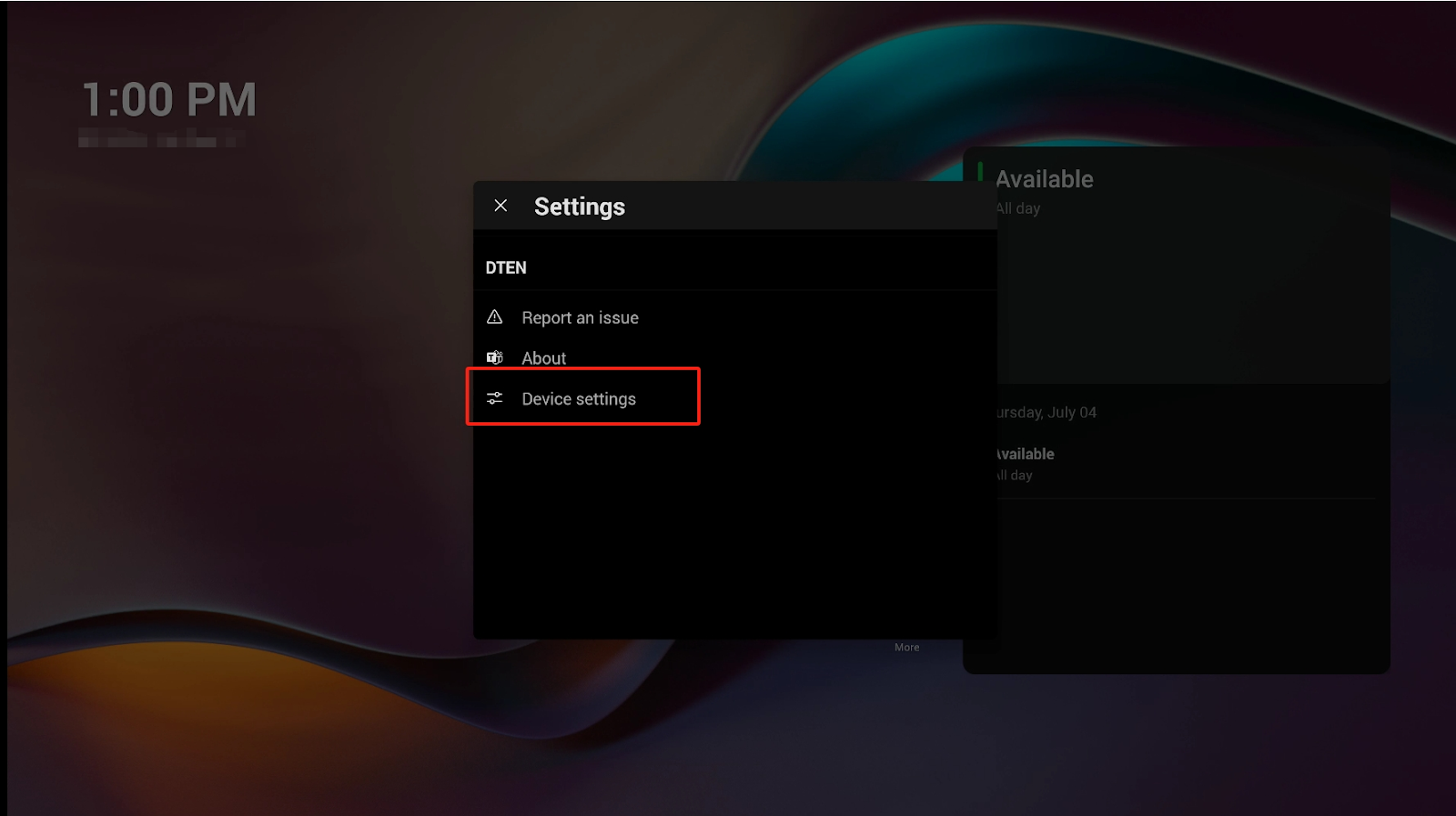
- Go to Device settings
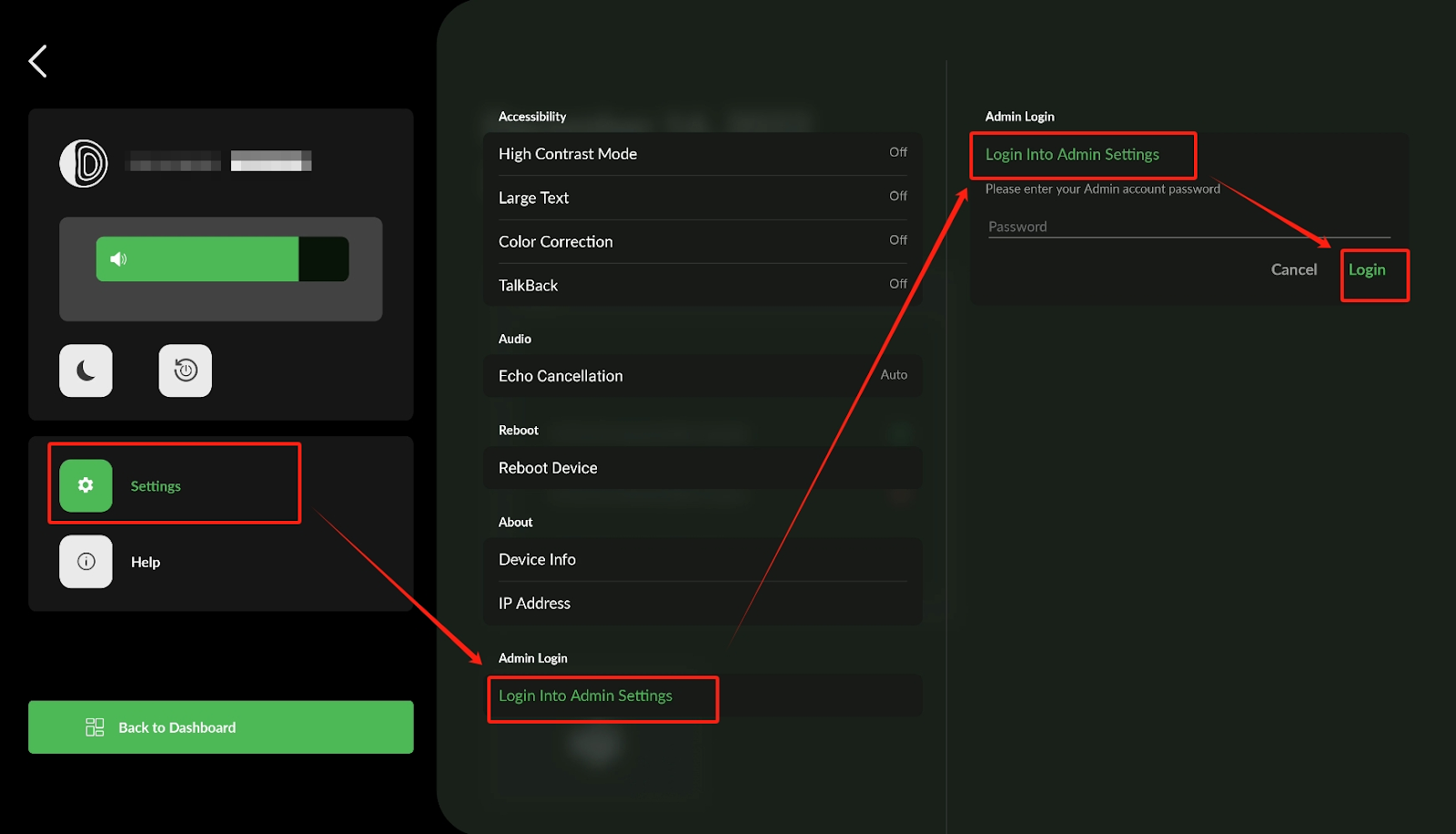
- Click Settings, navigate to Login to Admin settings, click Login directly, there is no password as default.
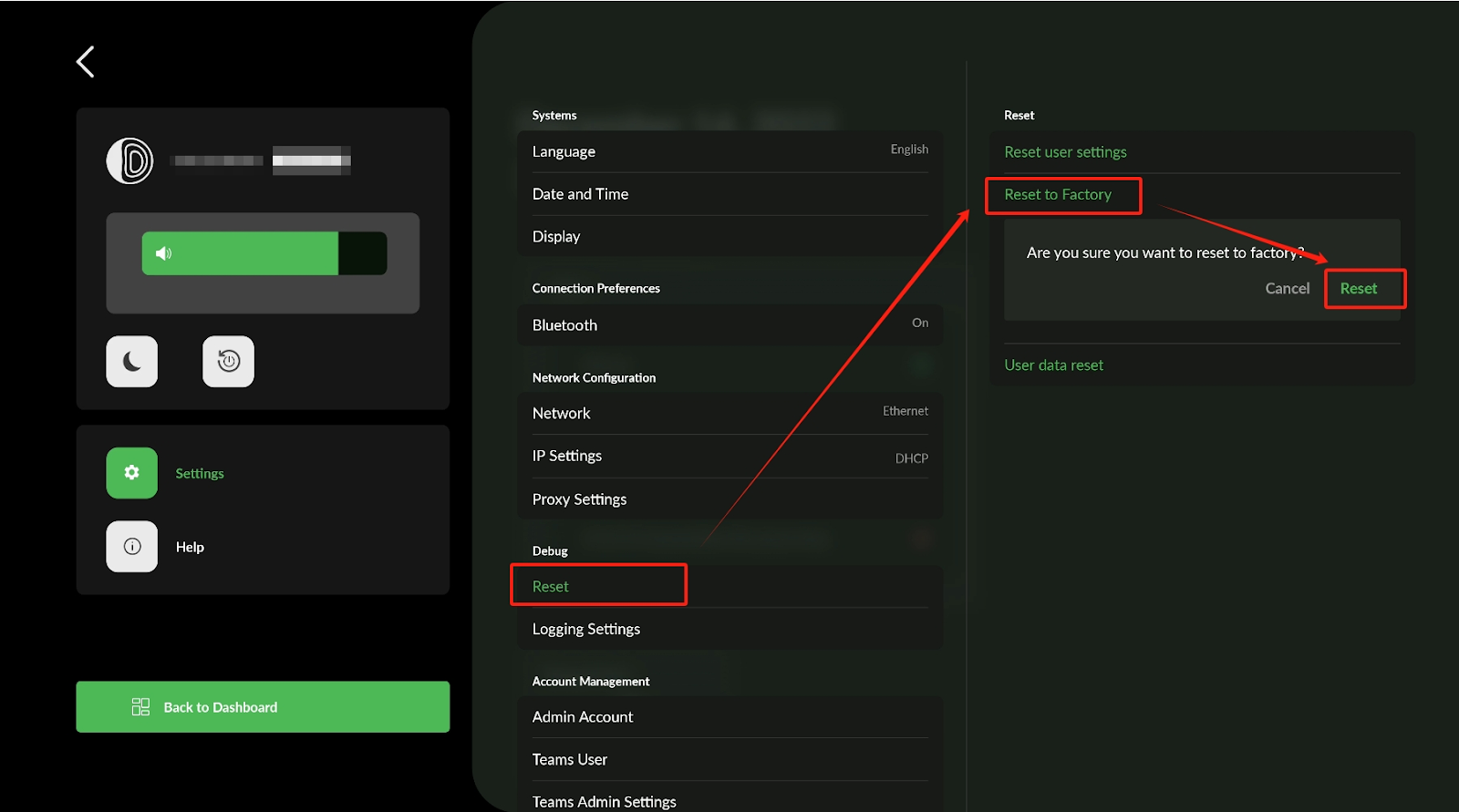
- In Admin settings, click Reset → Reset to Factory → Reset
If you have additional questions or need to contact DTEN Support, please refer to this DTEN Knowledge Base article for more details: HERE.
Still need help?
Open an Orbit ticket — your device details are filled in for you.
Was this article helpful?
Thanks for the feedback.