


D7X for Windows Annotation in BYOD Mode Feature Guide

Annotation – Support annotation in Smart Connect BYOD mode.
Overview
This article covers the new annotation in Smart Connect BYOD mode feature for D7X Windows systems available with the new firmware release v3.7.5.
Supporting Products
- DTEN D7X 55 & 75 Windows
- DTEN D7X Dual 75 Windows
- Minimum firmware v3.5.7
Design use case
When in Smart Connect mode, previously, if you wanted to annotate certain content being shared from your laptop, you had to open a meeting software that supported whiteboard functionality. Now, with DTEN’s annotation feature, you can directly annotate without additional software, making it much more convenient.
Steps
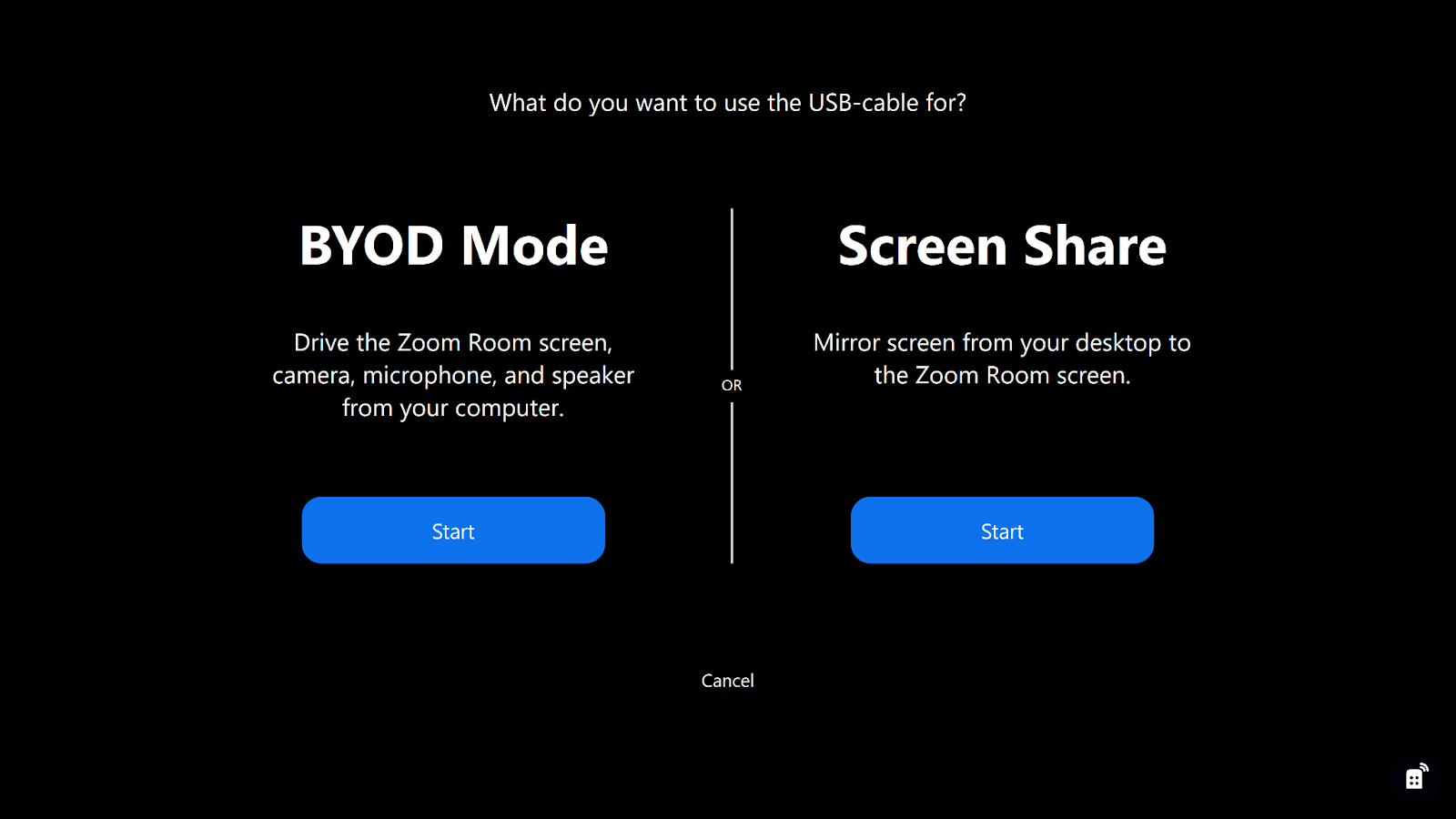
Connect your laptop using a USB-C cable. You can see the BYOD popup.
- Select BYOD mode.
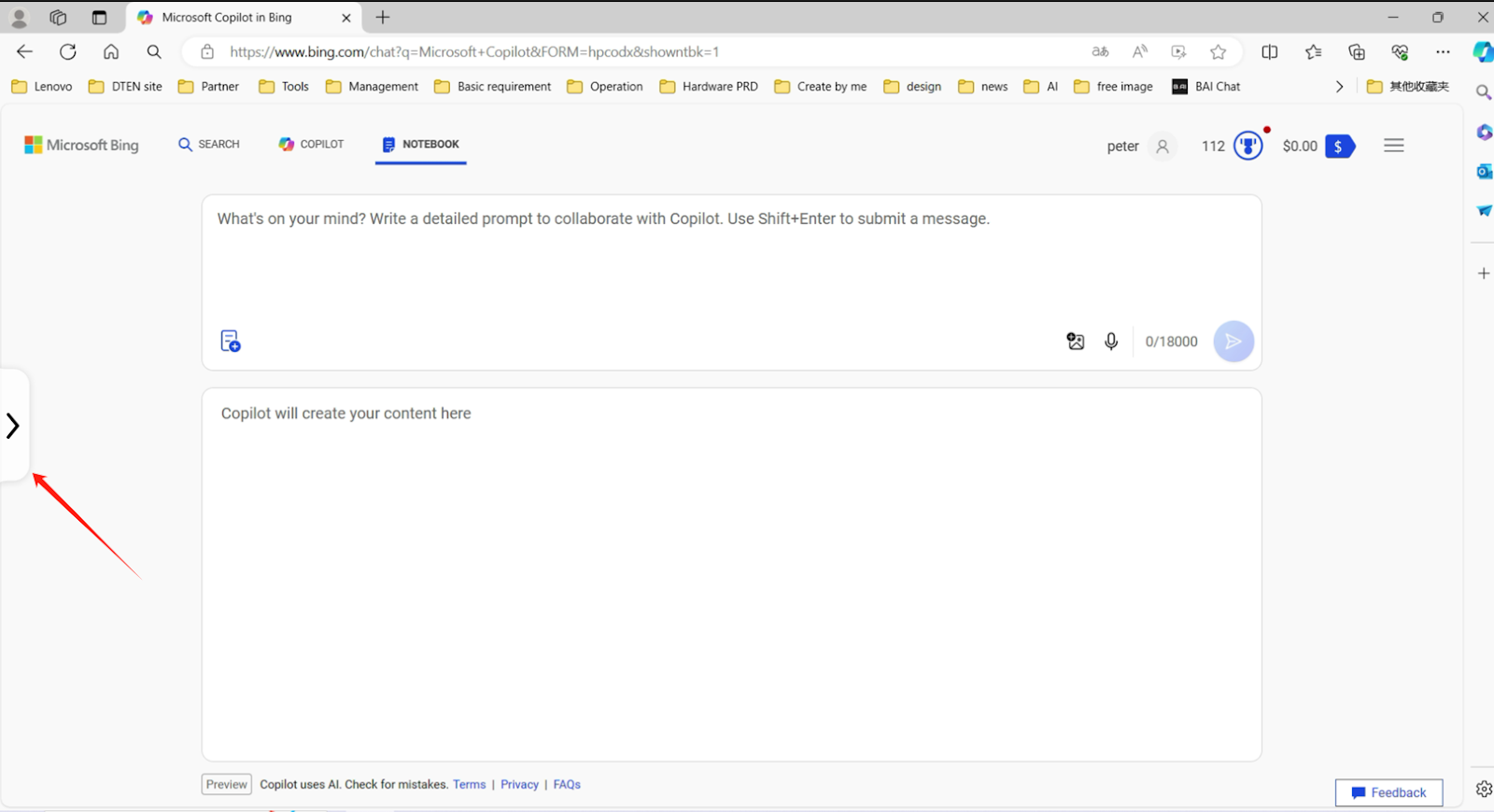
- Click on the floating button on the left.
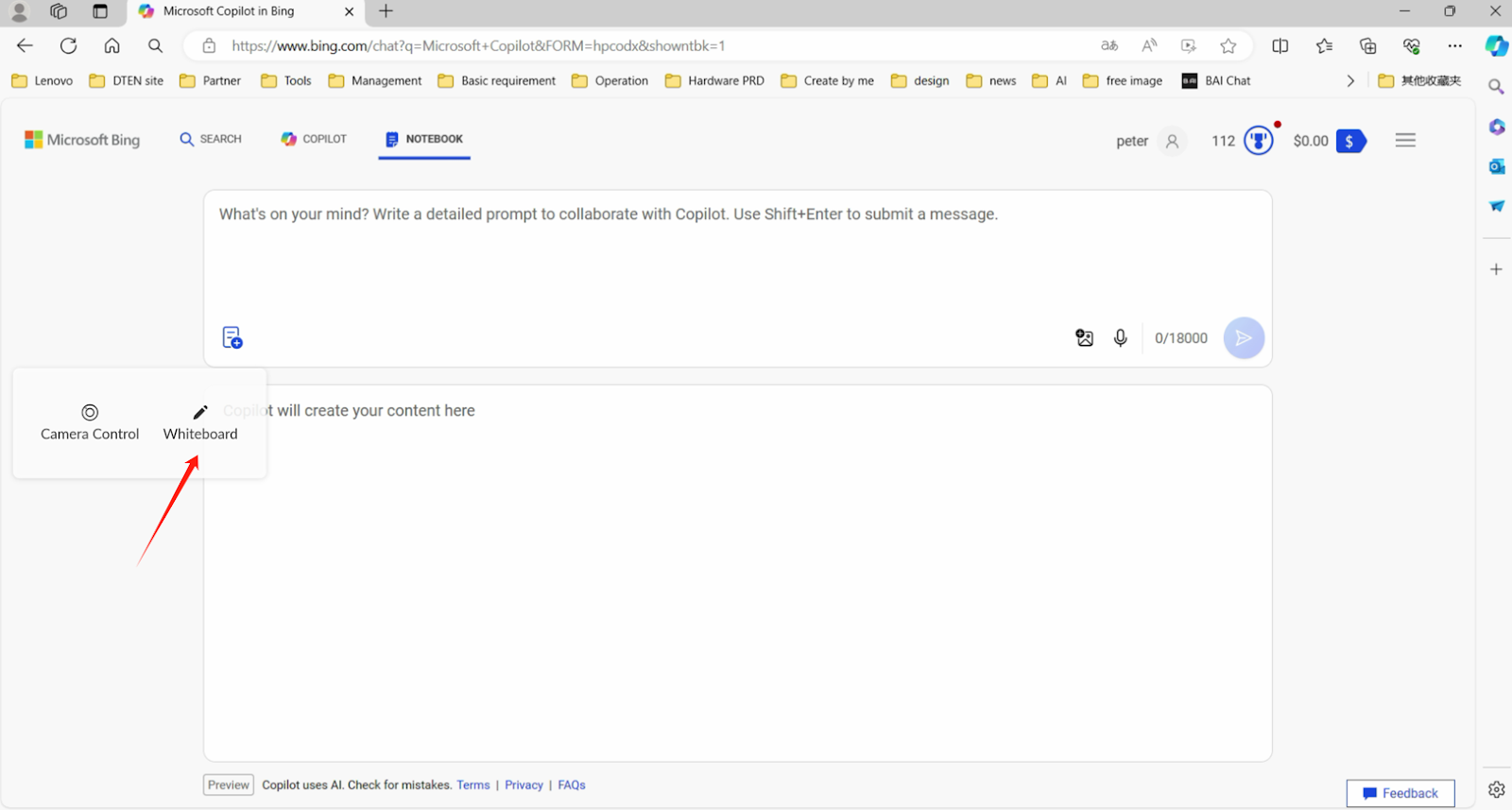
- Select the annotation feature.
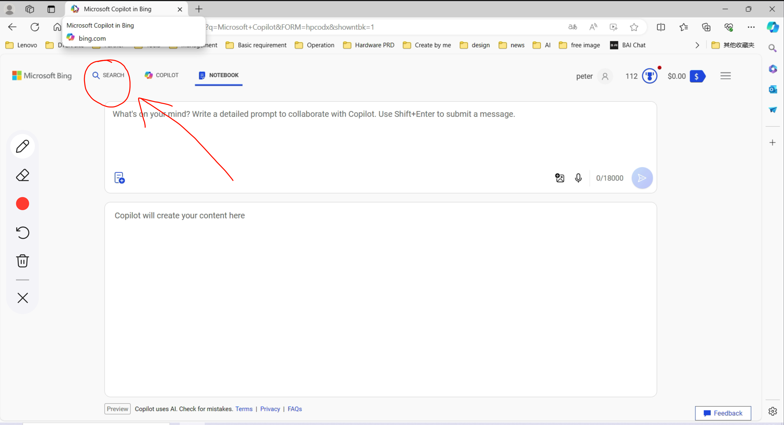
- Now you can annotate any content on your laptop as needed.
If you have additional questions or need to contact DTEN Support, please refer to this DTEN Knowledge Base article for more details: HERE.
Still need help?
Open an Orbit ticket — your device details are filled in for you.
Was this article helpful?
Thanks for the feedback.